
iOS 26.1: The Update That Polishes Apple’s Big Leap!
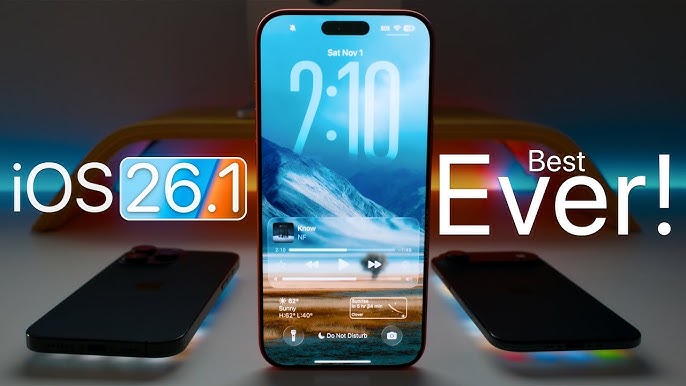
iOS 26.1: The Update That Polishes Apple’s Big Leap! The Update That Polishes Apple’s Big Leap! came with a bang by changing a lot — a new design language called “Liquid Glass,” deep Apple Intelligence integrations, and a completely new interface.
Link to know more: https://g.page/r/CZQzRiCVMxYgEBM
Apple +1
However, with the iOS 26.1 Update, Apple is not delivering the drastic changes but rather the refinements. These are the small things that account for the difference between the words “nice” and “smooth”.
🎨 Design & UI Tweaks That Matter
One of the biggest user-visible changes in iOS 26.1 is the new toggle for Liquid Glass transparency. Users can now switch between “Clear” (ultra-translucent) and “Tinted” (more opaque) modes to improve legibility and comfort.
The Verge
+1
Besides the subtle UI changes included are:
The keypad in the Phone app makes use of the Liquid Glass material, thus it is visually more attractive.
AppleInsider
+1
Photos app video playback scrubber has been changed to give more smooth and user-friendly control.
9to5Mac
These changes are a result of Apple taking customer comments into account — not only design should look good, but also feel right.
🌍 Smarter Everywhere: Language & AI
The iOS 26.1 Update also extends the intelligence features of Apple:
Live Translation via AirPods is now compatible with Chinese (Simplified & Traditional), Japanese, Korean, and Italian.
The Verge
+1
Besides that Apple Intelligence is adding support for anumber of new languages like Danish, Dutch, Norwegian, Portuguese (Portugal), Swedish, Turkish, and Vietnamese.
AppleInsider
The language expansions aren’t just about making the iPhone more accessible globally, but powerful as well — what was once an English-dominated device is now democratized.
🛠️ Functional Tweaks You’ll Actually Use
Apart from the looks and language, iOS 26.1 brings in some convenience features:
Apple Music MiniPlayer: just swipe left or right to change the track.
9to5Mac
New Camera Feature: If you want more control, you can turn off “swipe to open the camera” from the Lock Screen.
The Verge
Security Enhancements in the Background: the updates can install silently that is without your intervention and thus you get the safer software with no downtime.
AppleInsider
✅ Should You Update?
If you have a compatible iPhone (iPhone 11 or later) and you are into smoother design, more language options, and subtle but significant improvements, then the answer is definitely yes.
Don’t forget to:
Back up your iPhone before updating
Ensure that you have enough space (some sources are recommending 20 GB+ free)
Geeky Gadgets
Update through Settings ➜ General ➜ Software Update
iOS 26 was a major one. Not so much with iOS 26.1, but it is a smart update. It is not the kind of update that changes everything but rather the one that refines.
If you have thought that the new design was too glassy or the translation features were incomplete, then this update is a clear indication that Apple pays attention to the details.
Such an update is the one that makes your iPhone look better, understand more, and work smoother. If innovation takes big leaps, refinement is what ensures you land safely.
Enjoy the iOS 26.1 tour – your iPhone is going to get even more polished. https://sritechnology.in/blog/